SilverStone Sugo SG09 Review
Manufacturer: SilverStone
UK Price (as reviewed): £87.12 (inc VAT)
US Price (as reviewed): $120.84 (ex Tax)
UK Price (as reviewed): £87.12 (inc VAT)
US Price (as reviewed): $120.84 (ex Tax)
It's been a long time since we last looked at a micro-ATX chassis, over a year in fact. More recently we've been focussed on mini-ITX cases for our small form factor needs, as it's now possible to build powerful computers in cases as small as the BitFenix Prodigy, or even the Cooler Master Elite 120 Advanced. With a bit more room to play with, micro-ATX still has its place, however, and with us today is another SilverStone chassis. At just under £90, the Sugo SG09 is a tad more expensive than our current micro-ATX favourite, SilverStone's own TJ08-E, so will need to work hard to impress us.


Part of the Sugo range, in many ways the SG09 is similar to its mini-ITX brother, the SG08. It features a roof mounted 180mm Air Penetrator fan, along with a single slimline optical drive and is designed to house front-mounted PSUs. Though the case claims support for ATX PSUs up to 180mm in length, SilverStone does not guarantee that every one on the market is supported, and recommends its own Strider series of PSUs. As such, we'll be installing both a Strider series PSU along with our regular testing PSU to assess the difference.
The thing that struck us most when we first laid eyes upon the SG09 is just how small it is for a micro-ATX case. It's actually a smaller than the Prodigy (without its top and bottom extended bits), so the fact that it can house a full micro-ATX system with two dual slot graphics cards is impressive. The build quality of the steel is good, although we would have preferred if the SG09 featured real brushed aluminium at the front like the SG08, as opposed to the faux effect.


The plastic front fascia features a slimline optical drive bay, a smart design decision that retains support for optical media without wasting space on something that is becoming increasingly irrelevant. Below this is the grill covered PSU intake area, protected by a removable dust filter which is simple to clip in and out. Completing the front are the power and reset buttons, alongside audio and USB 3 ports, a combination which is quickly becoming the standard for front panel connectivity.
The left side panel sports a small meshed section for exhausted PSU air, as well as a massive removable dust filter which covers the three fan slots, the front most one of which is filled with a 120mm intake fan. The dust filter on the roof also clips off in the same way, revealing the 180mm AP181 Air Penetrator that's proved so successful in previous SilverStone cases. Both filters are easy to get off, and secure for the most part when attached.

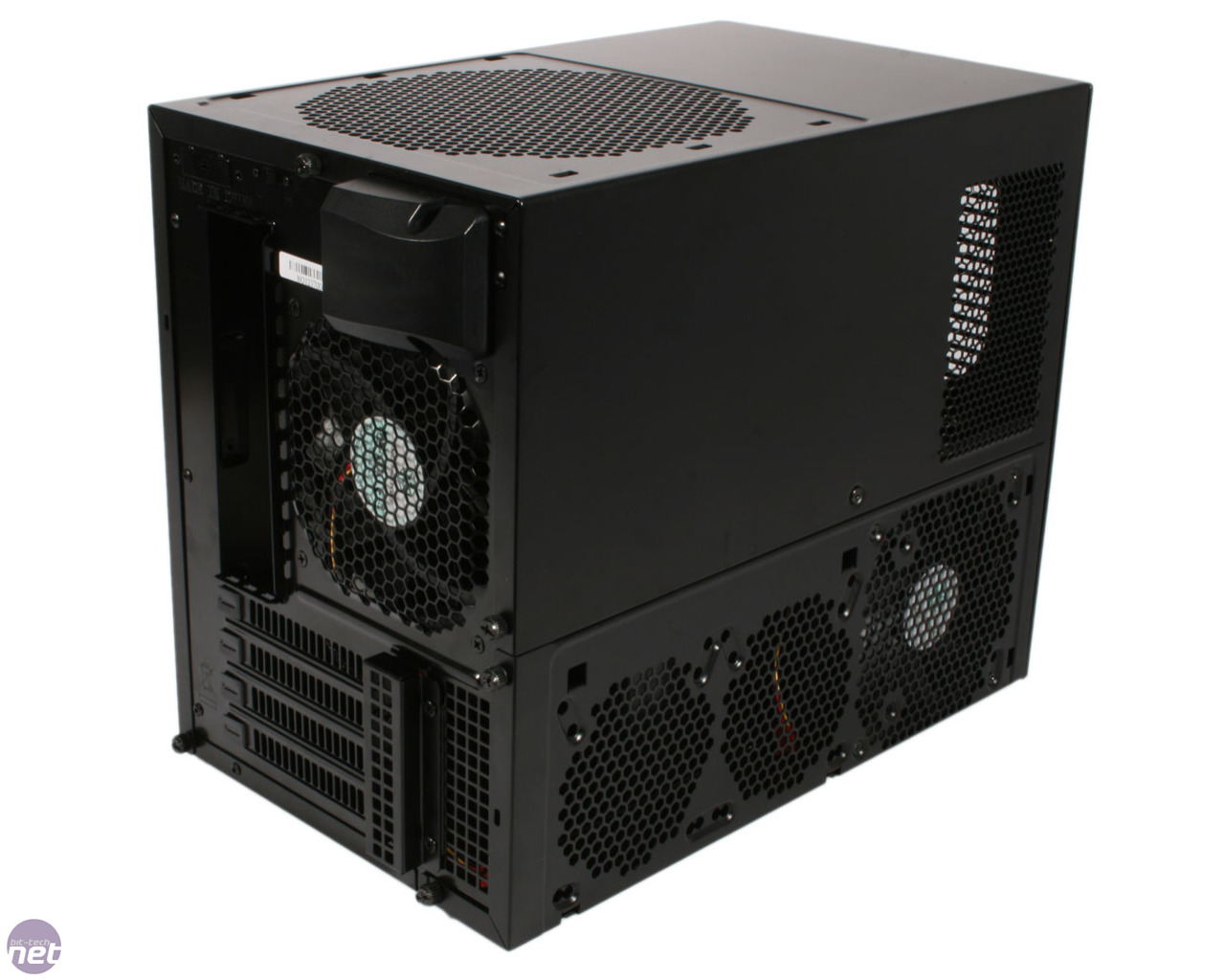
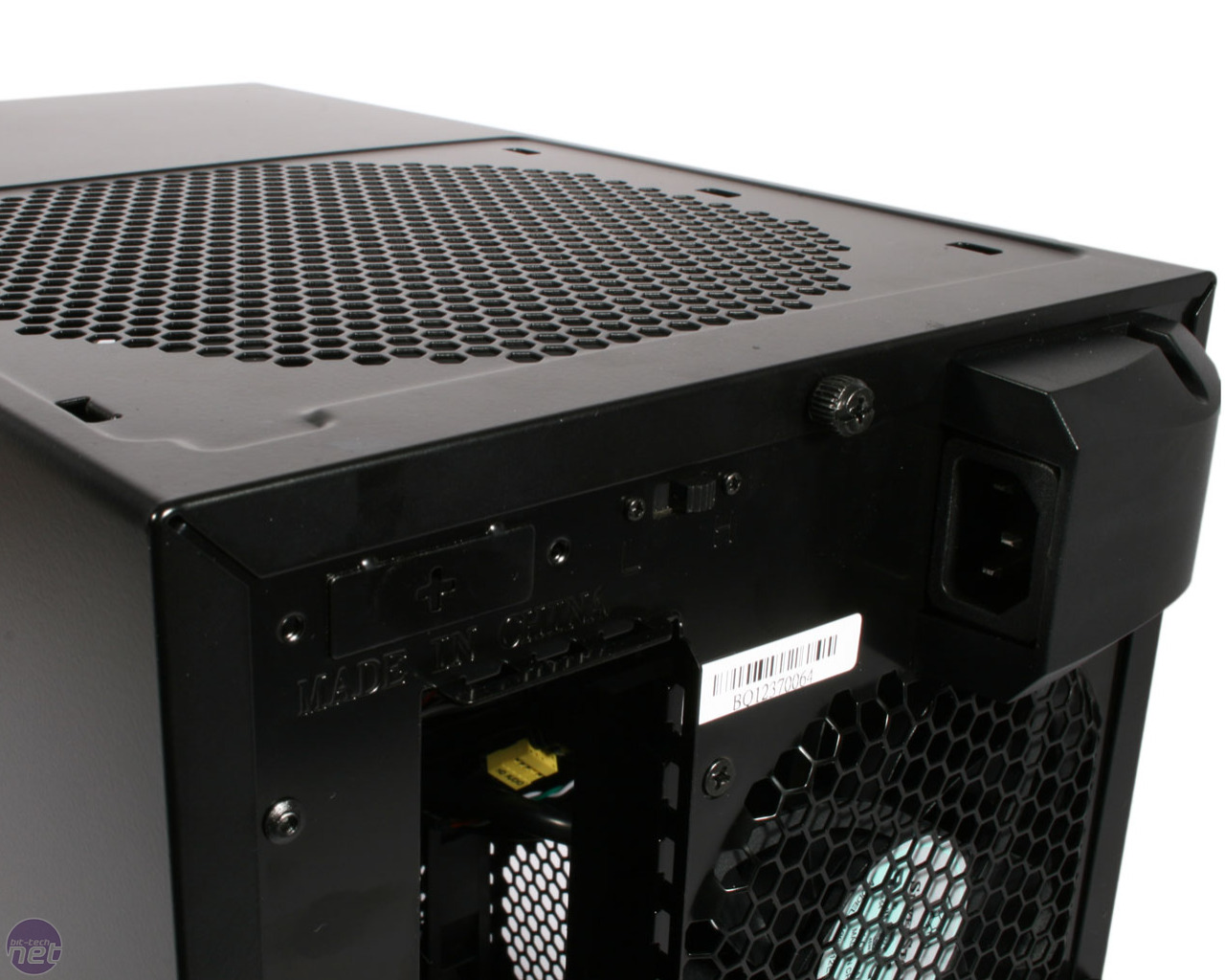
Despite the front-mounted PSU, the power plug is still on the rear of the case, as expected, and this is wired internally to the PSU. Round the back you'll also find the four expansion slots and the 120mm rear exhaust fan. Finally, there's a dual-speed fan controller switch too, although this is only for the roof intake, and cannot be connected to any additional fans.
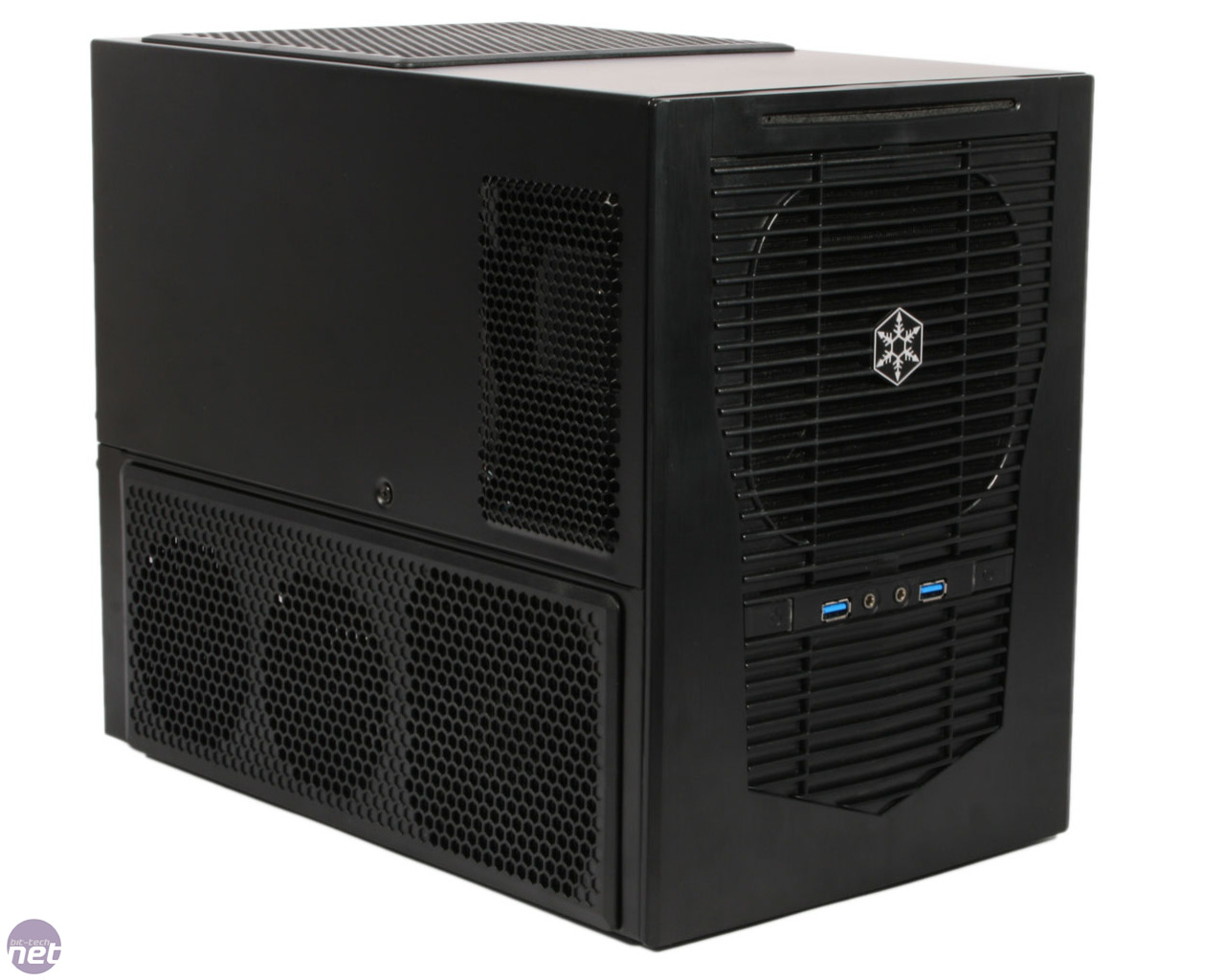
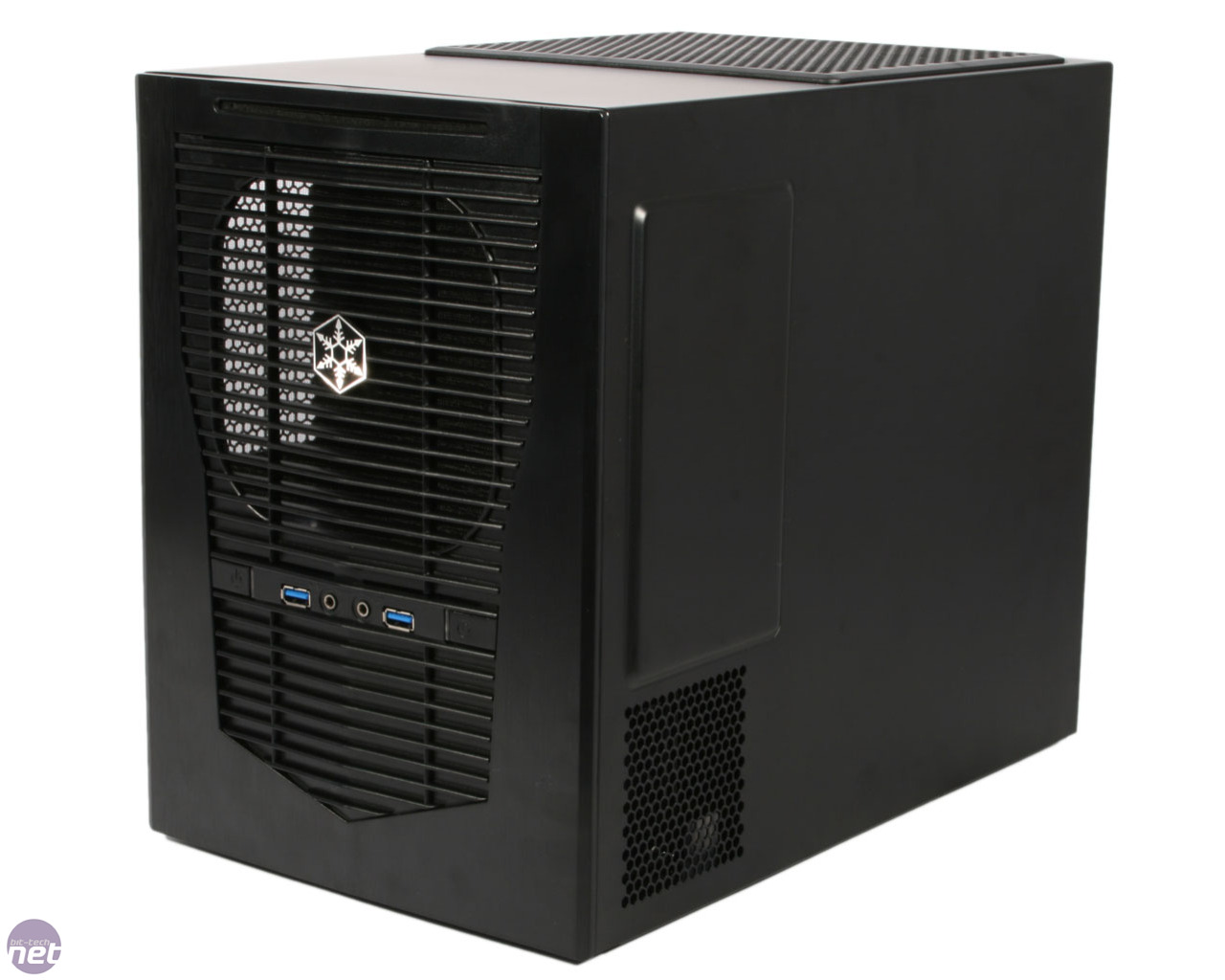
Part of the Sugo range, in many ways the SG09 is similar to its mini-ITX brother, the SG08. It features a roof mounted 180mm Air Penetrator fan, along with a single slimline optical drive and is designed to house front-mounted PSUs. Though the case claims support for ATX PSUs up to 180mm in length, SilverStone does not guarantee that every one on the market is supported, and recommends its own Strider series of PSUs. As such, we'll be installing both a Strider series PSU along with our regular testing PSU to assess the difference.
The thing that struck us most when we first laid eyes upon the SG09 is just how small it is for a micro-ATX case. It's actually a smaller than the Prodigy (without its top and bottom extended bits), so the fact that it can house a full micro-ATX system with two dual slot graphics cards is impressive. The build quality of the steel is good, although we would have preferred if the SG09 featured real brushed aluminium at the front like the SG08, as opposed to the faux effect.
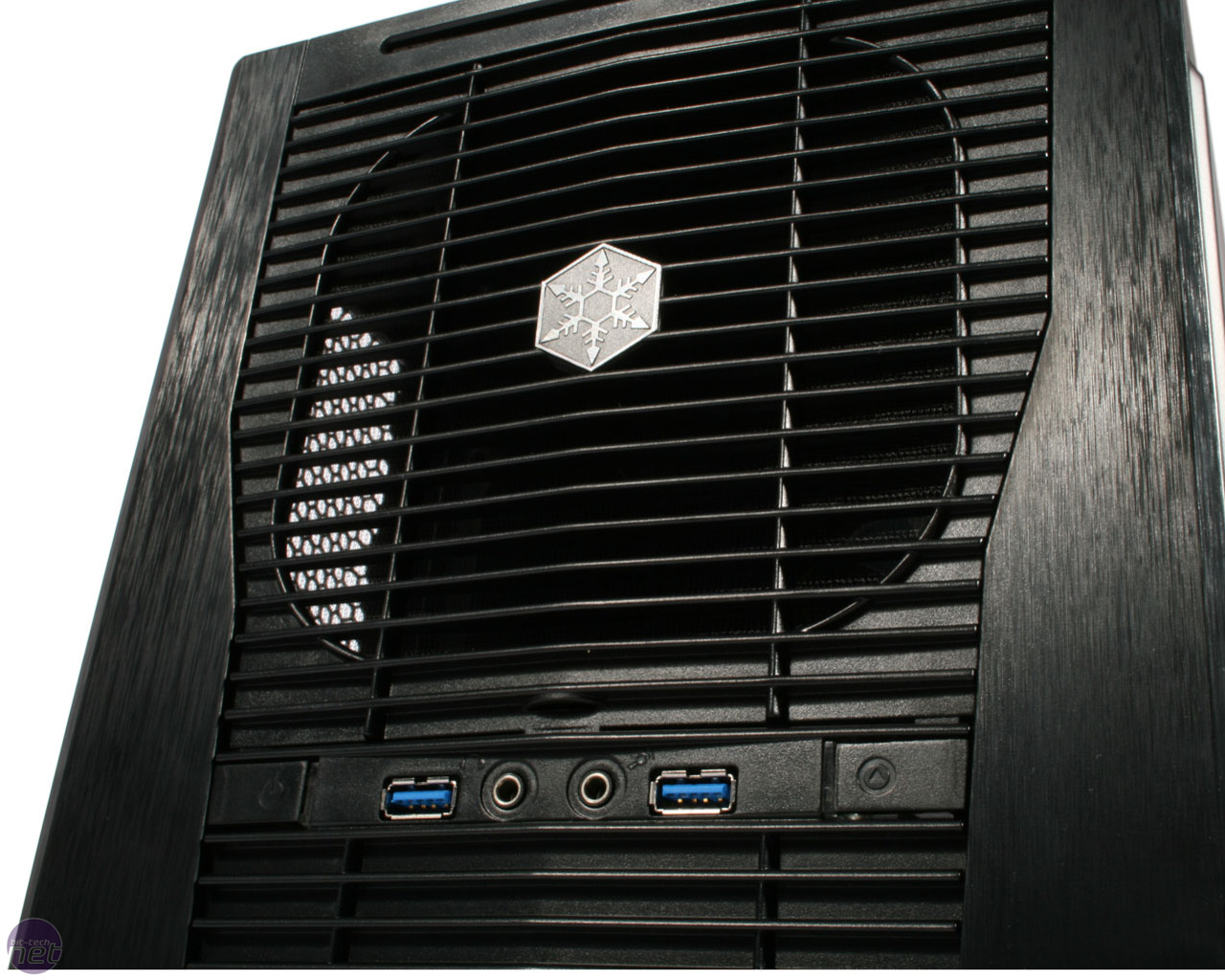
The plastic front fascia features a slimline optical drive bay, a smart design decision that retains support for optical media without wasting space on something that is becoming increasingly irrelevant. Below this is the grill covered PSU intake area, protected by a removable dust filter which is simple to clip in and out. Completing the front are the power and reset buttons, alongside audio and USB 3 ports, a combination which is quickly becoming the standard for front panel connectivity.
The left side panel sports a small meshed section for exhausted PSU air, as well as a massive removable dust filter which covers the three fan slots, the front most one of which is filled with a 120mm intake fan. The dust filter on the roof also clips off in the same way, revealing the 180mm AP181 Air Penetrator that's proved so successful in previous SilverStone cases. Both filters are easy to get off, and secure for the most part when attached.
Some venting on the right side panel gives clearance for another 80mm fan to exhaust air (no dust filter is provided here), but other than that this side is void of any features. Moving down underneath the case, we were initially worried about the lack of any case feet, until we found them in the accessories pack, ready to be stuck on wherever you like. They attach very tightly, and give the case excellent grip and stability.
Despite the front-mounted PSU, the power plug is still on the rear of the case, as expected, and this is wired internally to the PSU. Round the back you'll also find the four expansion slots and the 120mm rear exhaust fan. Finally, there's a dual-speed fan controller switch too, although this is only for the roof intake, and cannot be connected to any additional fans.
Specifications
- Dimensions (mm) 220 x 354 x 295 (W x D x H)
- Material Steel, plastic
- Available colours Black
- Weight 5.3kg
- Front panel Power, reset, 2 x USB 3.0, stereo, microphone
- Drive bays 1 x external slim optical, 2 x internal 3.5in, 4 x internal 2.5in
- Form factor(s) Micro-ATX, DTX, mini-ITX
- Cooling 1 x 120mm/92mm and 2 x 92mm/80mm left side fan mounts (1 x 120mm fan supplied), 1 x 180mm/140mm roof fan mount (1 x 180mm fan supplied), 1 x 120mm rear fan mount (fan supplied), 1 x 80mm right side fan mount (fan not supplied)
- CPU cooler clearance 165mm
- Maximum graphics card length 338mm
- Extras Removable dust filters


